





Smart Commissioning and Field Test Tools

Commissioning and field test tools confirm that a wireless installation will work before the sensors go up, rather than after. A tester checks signal strength, spreading factor and packet loss at the proposed mounting position, so weak spots are found while an engineer is still on site with options.

Our range covers LoRaWAN network testers that verify gateway coverage across a site, EnOcean field test tools for checking telegram reception through walls and floors, USB transceivers for configuring devices from a laptop, and NFC tools for setting sensor parameters before deployment.

For installers working across multiple sites they pay for themselves quickly. An hour spent surveying costs far less than a return visit to relocate a gateway.

Commissioning and Field Test

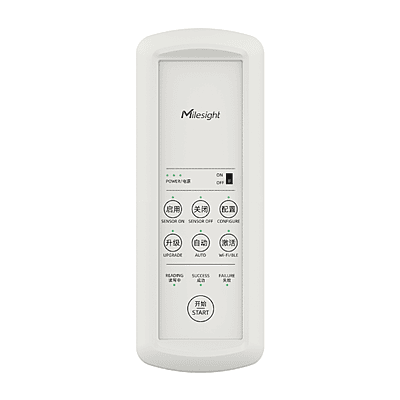
Milesight FT101 Field Tester
£472.00
Milesight SCT01
Milesight SCT01
£53.00
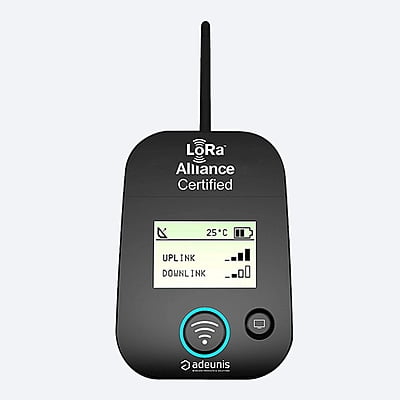
Adeunis FTD: LoRaWAN Network Tester
£190.00
USB 300
USB 300
£53.00
USB 300Add to Cart
£53.00
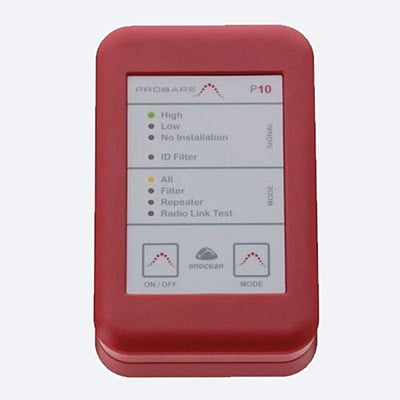
Probare P10 EnOcean Field Test Tool
£118.75

FAQ

Why do I need a field tester before installing wireless sensors?

You need a field tester before installing a wireless sensor because the only reliable way to know whether a sensor will communicate from a given position is to test from that position before it is fixed there. Coverage inside a building is hard to predict: lift shafts, plant rooms, basements, metal cladding, foil-backed insulation and concrete cores all attenuate signal in ways that a desk-based plan will not account for, and two points ten metres apart can behave very differently. A survey done with a field tester turns that uncertainty into a map before anyone commits to a mounting position.


The practical value is in avoided return visits. Finding a weak spot while an engineer is on site means moving the sensor a metre, relocating the gateway, or specifying a better antenna, all of which are cheap decisions at that moment. Finding it after the sensors are mounted, the ceiling tiles are back and the scaffold has gone is a different proposition entirely. A survey also gives you evidence; recorded signal readings at each point document that the installation was within tolerance at handover, which is useful if performance is questioned later.

What do the readings on a field tester actually mean?

Three figures matter on a LoRaWAN survey, and they need reading together rather than individually:

  • RSSI is received signal strength, measured in dBm as a negative number. Closer to zero is stronger. Around minus 90 is comfortable, and below roughly minus 115 you're near the edge of what the gateway can decode.
  • SNR is signal to noise ratio, in dB, and it is often the more telling of the two. LoRaWAN can decode a signal that sits below the noise floor, so negative SNR is normal rather than a fault, but a reading approaching minus 20 indicates you are at the limit. A weak RSSI with good SNR is usually workable. A reasonable RSSI with poor SNR points at interference nearby.
  • Spreading factor shows how hard the radio is working to get the message through. A higher factor reaches further but puts more airtime on the network and drains the battery faster, so a sensor sitting permanently at the top of the range will have a shorter life than the datasheet suggests. If a position only works at the highest spreading factor, it is worth improving rather than accepting.

Alongside these, check that packets are actually arriving. Consistent delivery over several minutes matters more than one strong reading, since intermittent loss is what causes complaints later.

Do I need a different tester for LoRaWAN and EnOcean?

You do need different testers for LoRaWAN and EnOcean technology; they are separate radio technologies on different frequencies with different protocols, so a tester built for one will not read the other.


LoRaWAN testers check the link between a device position and your gateway, reporting signal strength, spreading factor and packet success across a site. They are what you use to plan gateway placement and confirm coverage across a whole building or campus.


EnOcean field test tools work over much shorter distances and answer a narrower question: will a telegram from this switch or sensor reach its receiver through the walls, floors and furniture in between? Because EnOcean devices are frequently self-powered with very low transmit power, position is critical and the margin is slim, so testing is arguably more important than with LoRaWAN rather than less.


Configuration tools are a third category and are easy to confuse with testers. An NFC configuration tool or a USB transceiver lets you set device parameters, reporting intervals, thresholds and network credentials before or during installation. They set a device up rather than measuring whether it can be heard, so most installers carry both. If you work across both technologies, it is worth budgeting for a tester for each; they are not interchangeable and the cost is recovered on the first avoided return visit.

Items have been added to cart.
One or more items could not be added to cart due to certain restrictions.
Added to cart
- There was an error adding to cart. Please try again.
Quantity updated
- An error occurred. Please try again later.
Deleted from cart
- Can't delete this product from the cart at the moment. Please try again later.